Back
My Role
Design strategy, User research, Visual design, Prototyping, Design QA
Team
1 PM, 3 dev, 1 QA
Duration
1 month
Overview
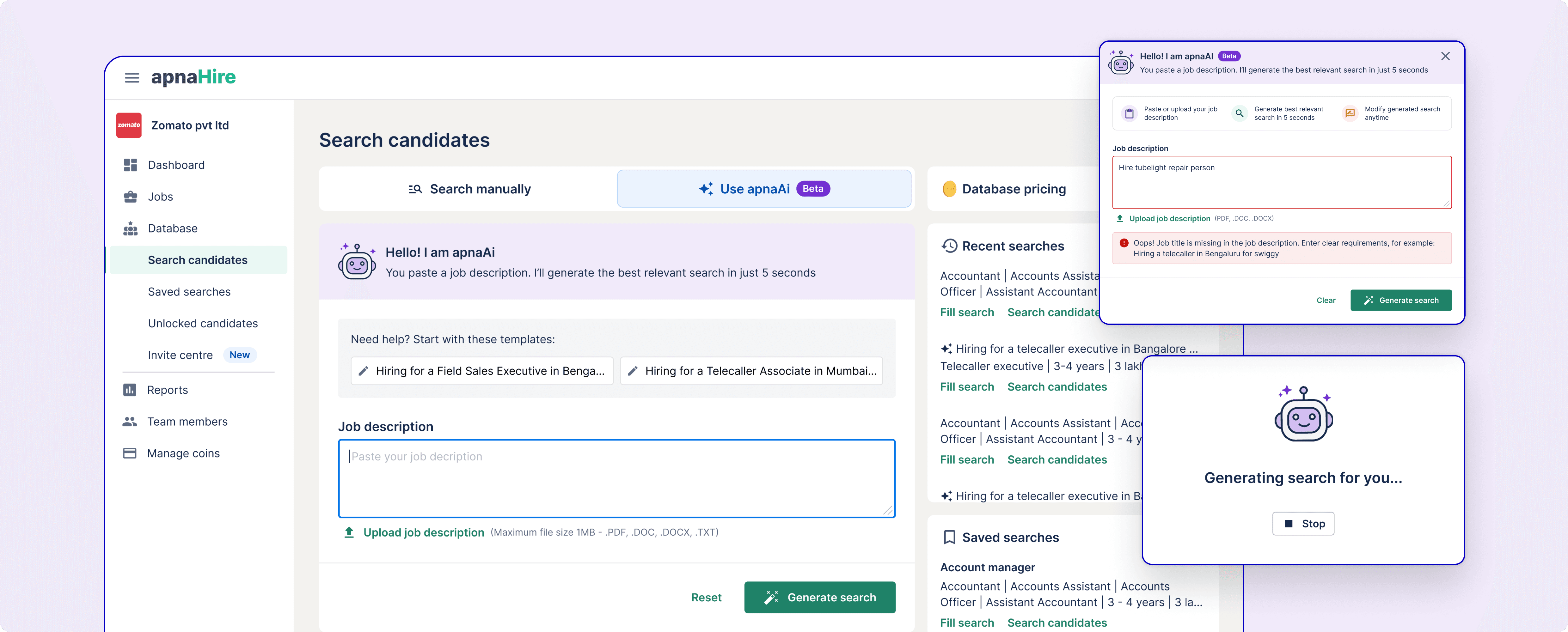
We identified that inexperienced recruiters struggled to form effective search queries, leading to poor candidate results and higher churn. Through research, rapid iterations, and testing, we built an AI-powered search assistant that transforms job descriptions into optimized searches, improving speed, quality, and recruiter confidence.
Impact
Profile unlocks per impression increased by 29% overall, 30% reduction in time to reach search results, 22% reduction in low-search results
Context
Our Account managers & Customer support team shared feedback that recruiters reported poor candidate quality after searches on our database.
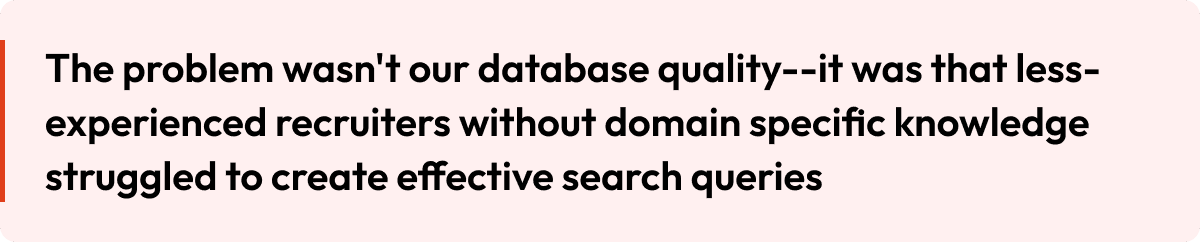
But our investigation revealed the real issue:
Product Background: The Candidate Database
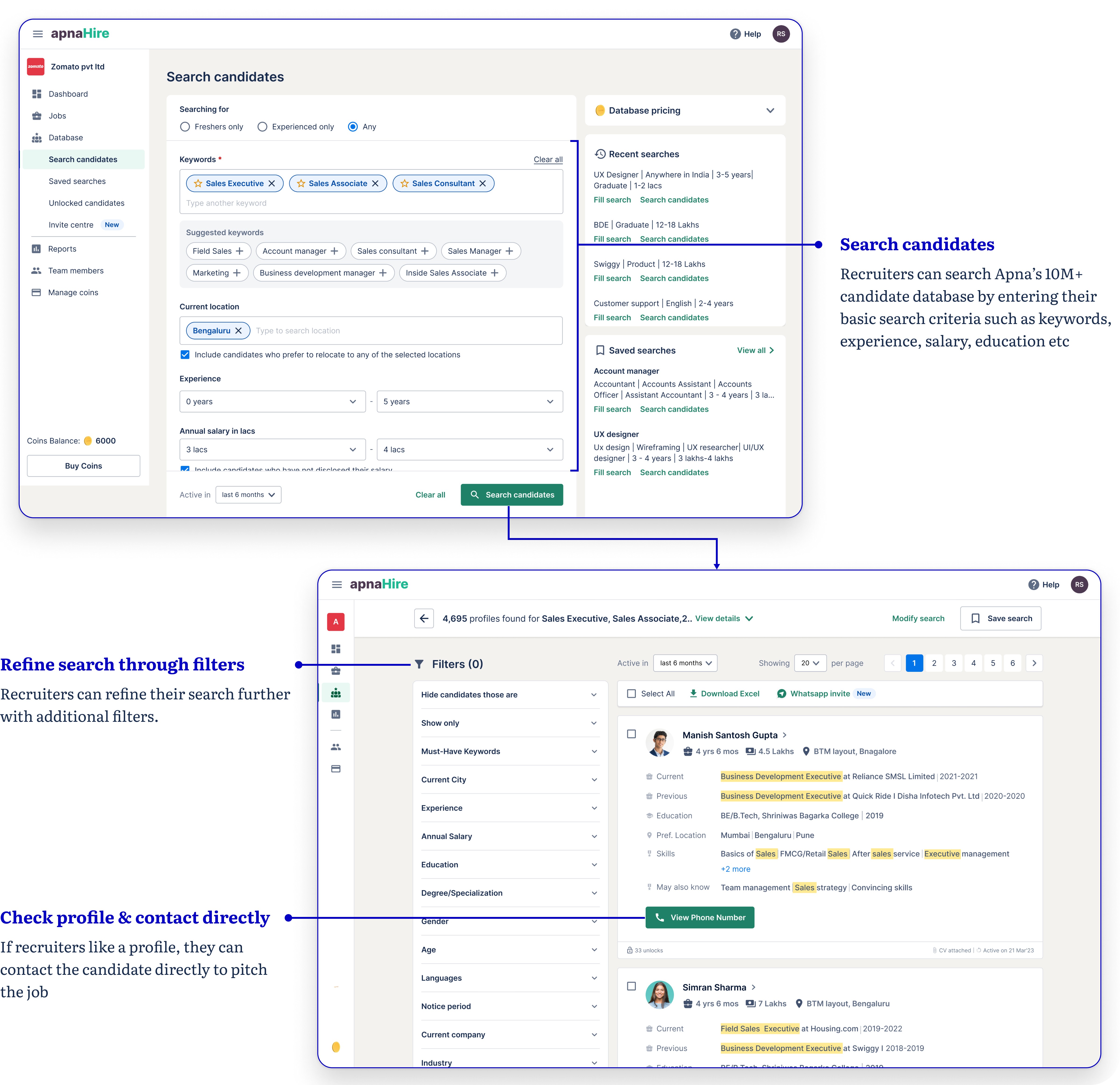
Apna’s candidate database connects recruiters with relevant talent from our extensive pool. Here’s our existing search flow: recruiters manually type keywords, set locations, experience, salary, and so on. Power users could manage, but less-experienced teammates often ended up with too few or irrelevant profiles - hence the support tickets.
Research & Validation
To validate the feedback shared by the CSM team, I did a mixed-method research to identify the real pain point

Key Insights
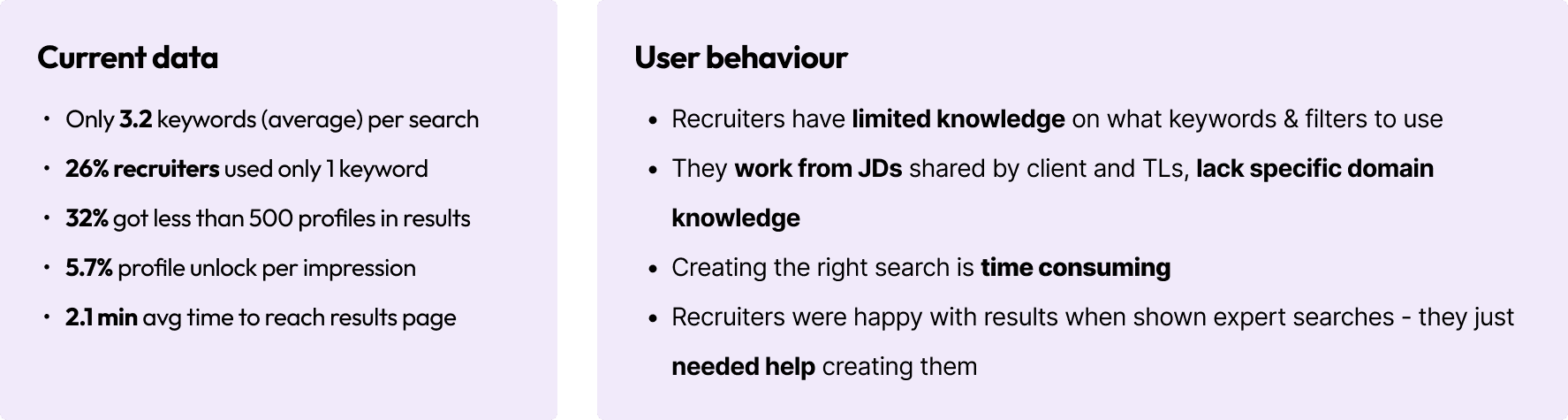
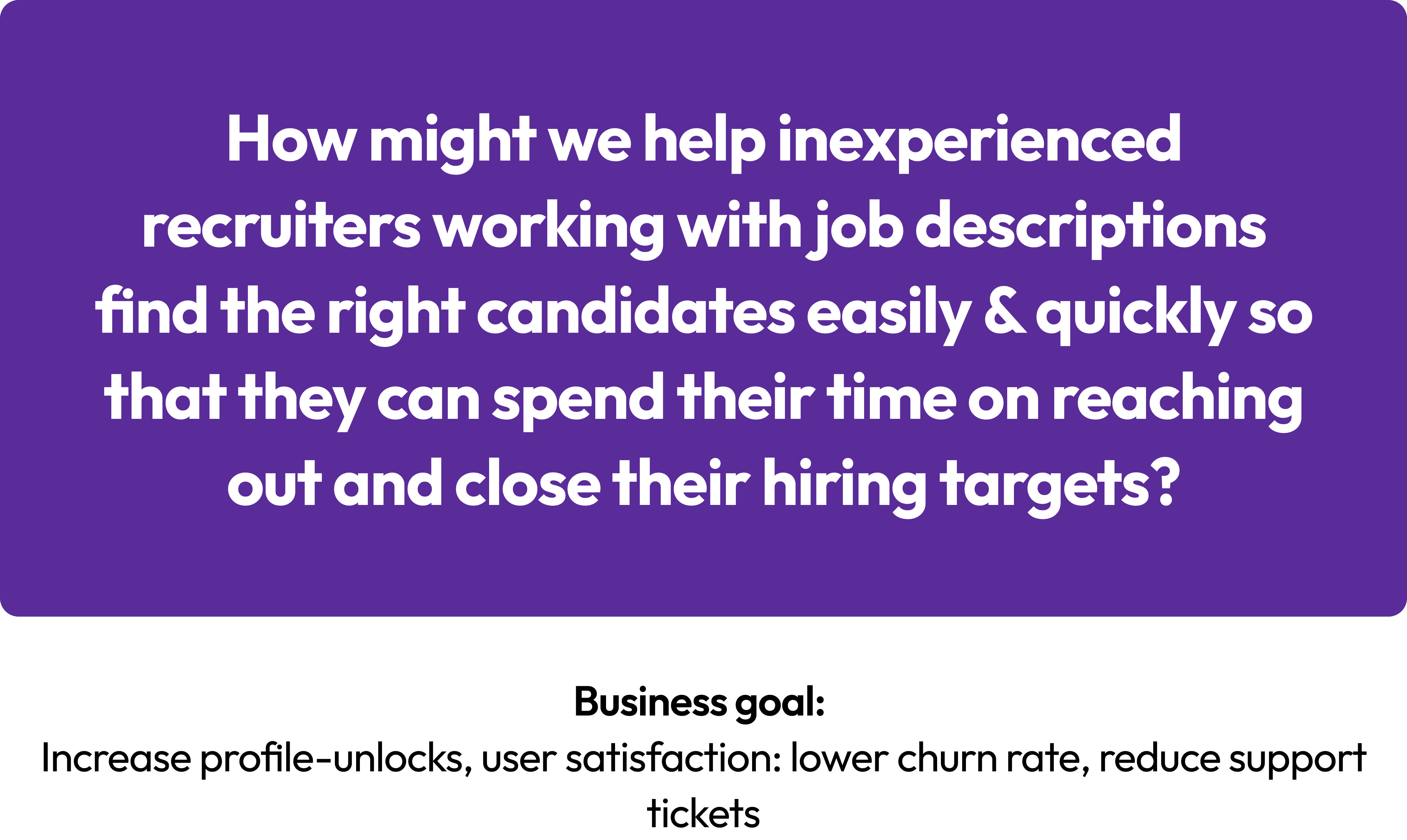
Recruiters without domain knowledge struggled to create effective searches & didn’t want to spend their precious time tweaking search filters or experimenting with keywords.
They just wanted results - relevant, plentiful, and immediate.
Problem Statement
Brainstorming Ideas
I facilitated a brainstorming session with the team to explore ideas on how we can solve this. Ideas flew around the room, but one solution that captured our minds was the AI-generated search
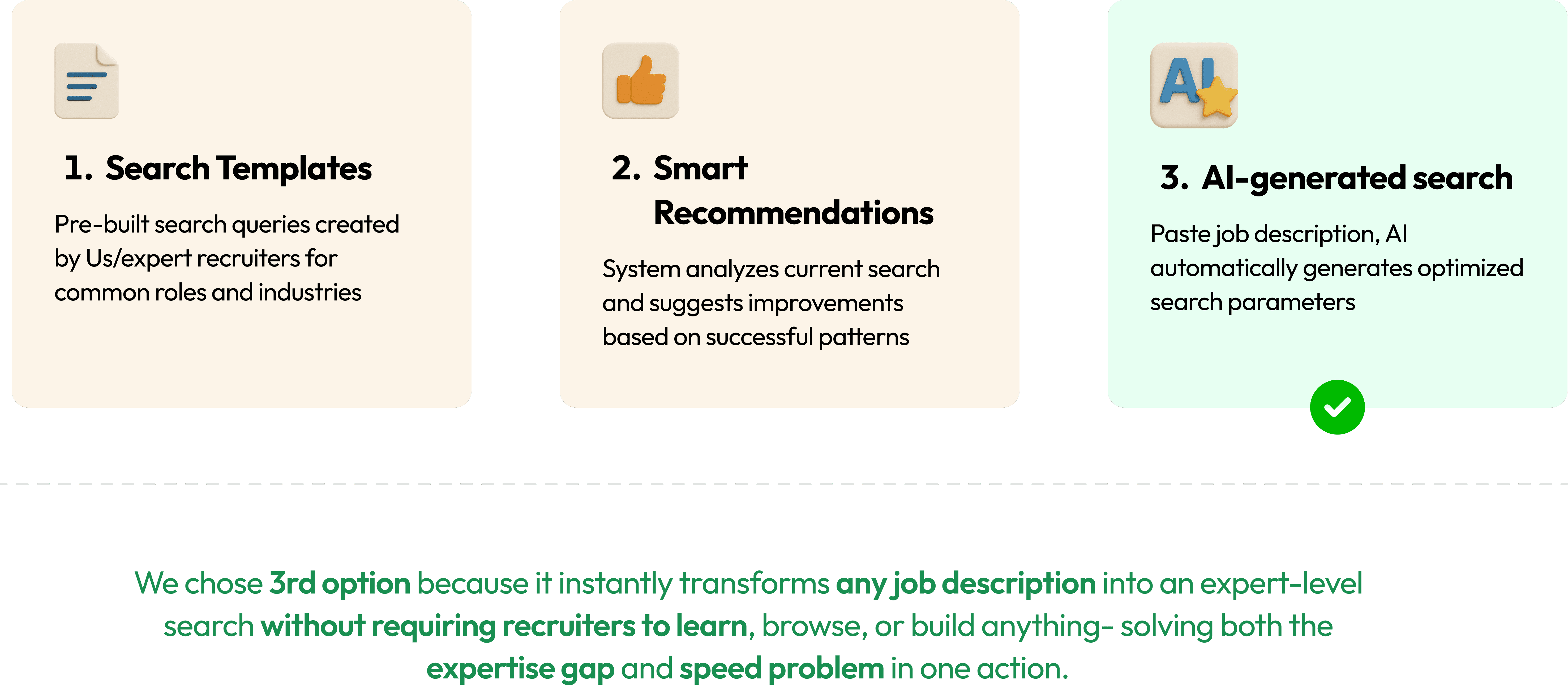
Imagine entering “Branch Manager with banking experience for Kotak Mahindra” and instantly receiving a tailored search query. The possibilities were game-changing.
The Solution Begins to Take Shape: Building ApnaAI
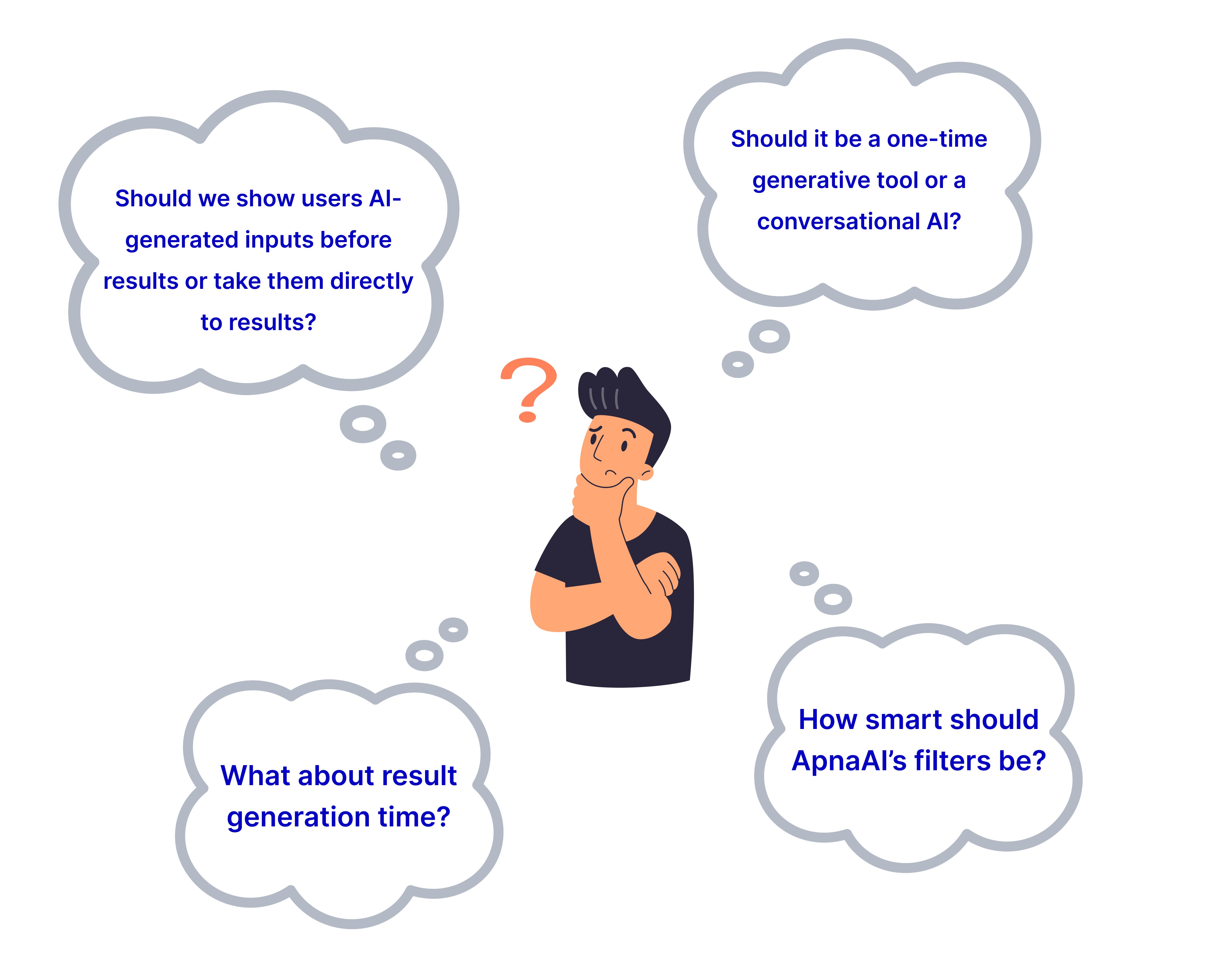
Before jumping into design, I took a step back and asked some critical questions that would define ApnaAI’s user experience.
Designing the Experience
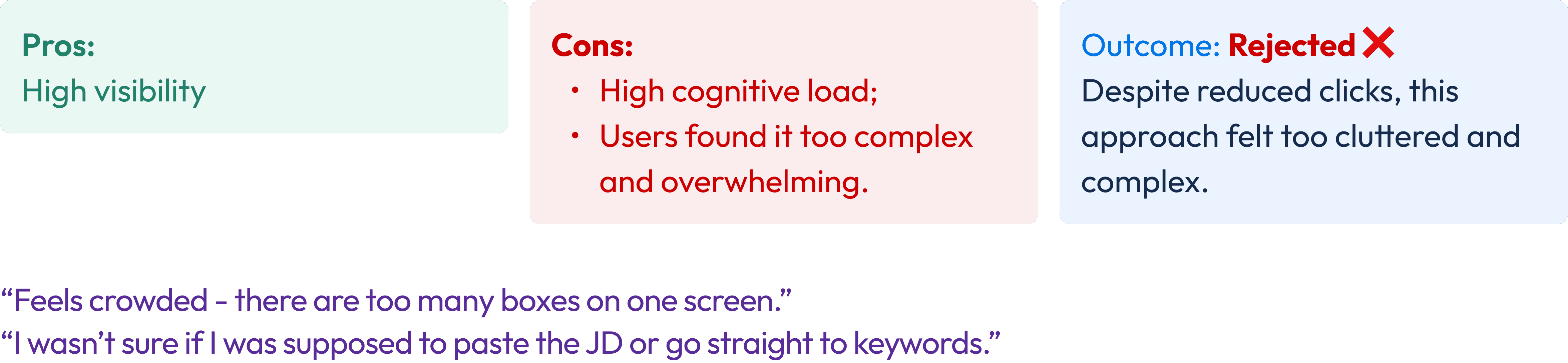
With a direction in mind, I explored several design approaches for integrating ApnaAI into the search interface. Each option offered unique pros and cons, ultimately leading us to a final, user-friendly solution.
Iteration 1 - Integrated AI Search Bar

Iteration 2 - The Floater Button
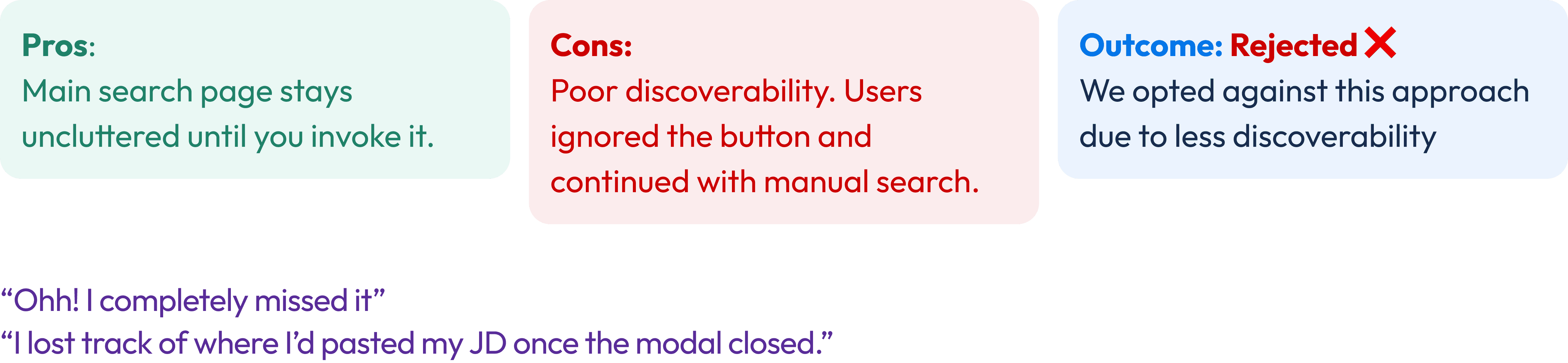
Iteration 3 - The Toggle Approach
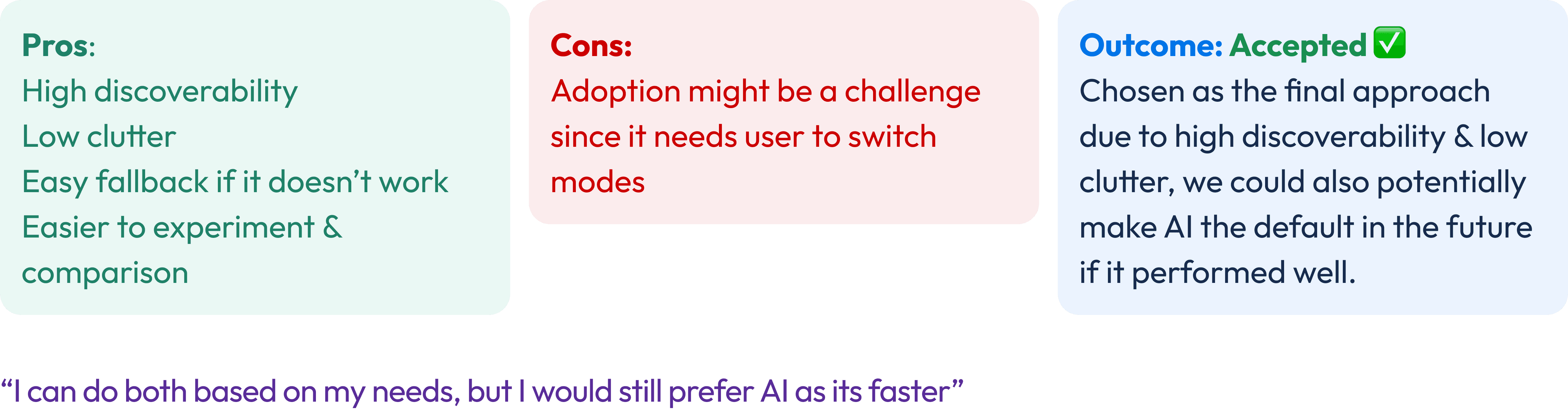
With the toggle approach finalized, we began refining the user experience while addressing key challenges that surfaced during the design phase. Each challenge required thoughtful solutions to ensure ApnaAI was intuitive and seamless for recruiters.
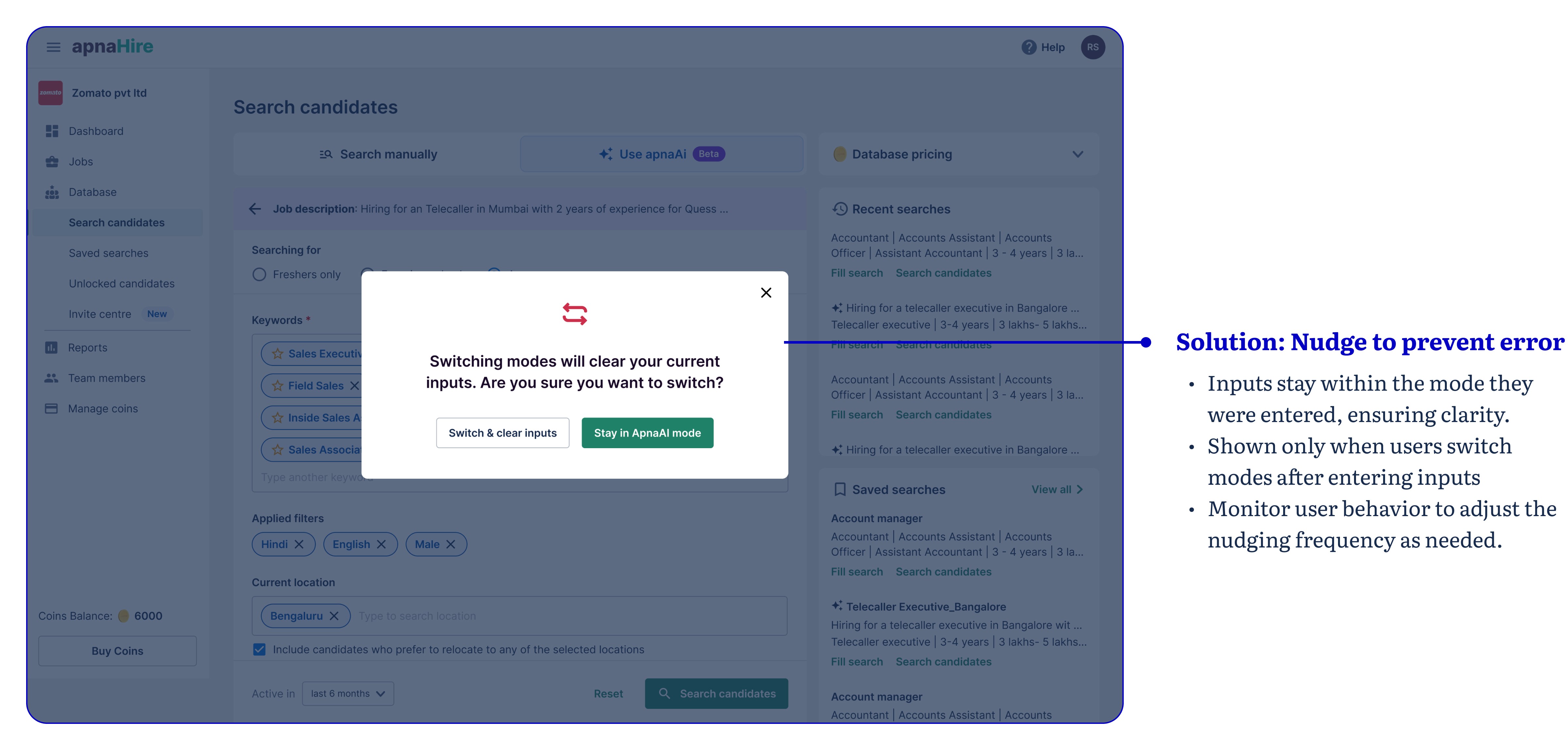
Challenge 1: Switching Between Modes
What if a recruiter generates a search in AI mode but switches to manual without going to the search results? Retaining inputs across modes could confuse users about where edits were made.
Challenge 2: Differentiating Recent Searches Between Modes
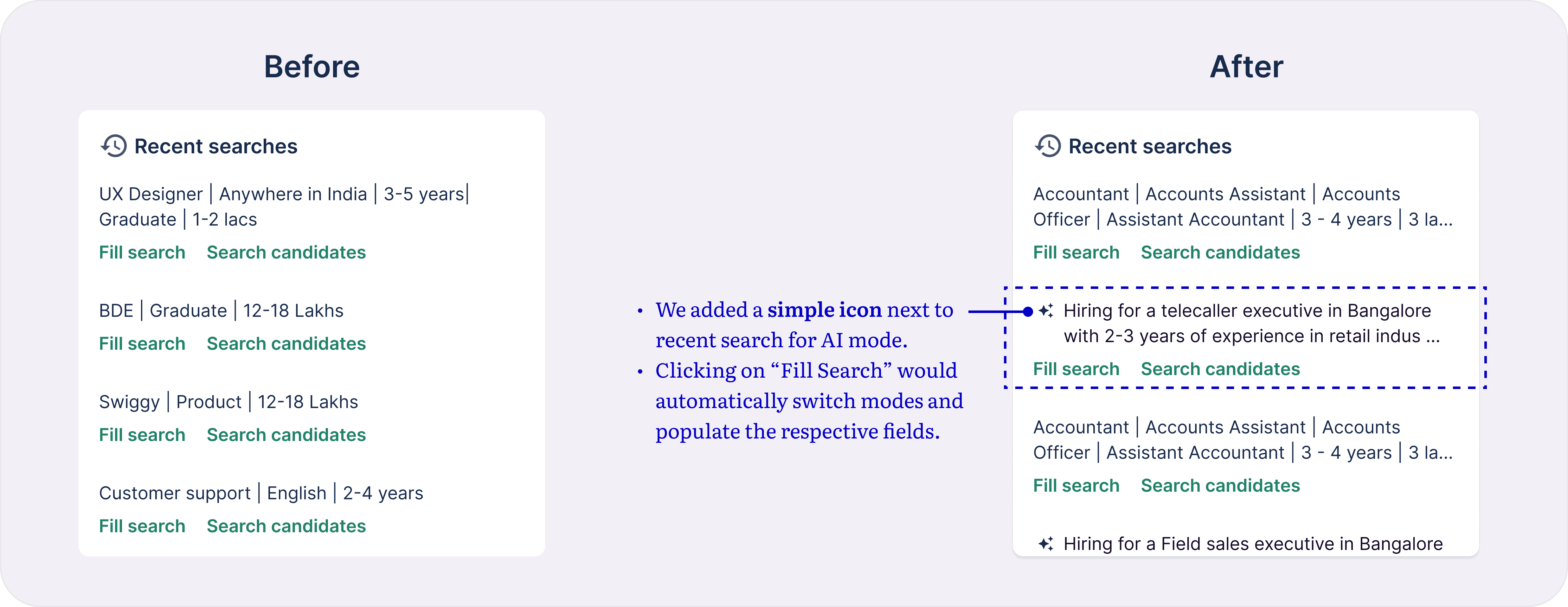
Our platform already had a recent search feature, allowing users to quickly revisit previous searches. However, with two modes—manual and AI—differentiating the mode used for each search became a challenge.
Solution: We added a simple icon next recent search for AI mode. Clicking on “Fill Search” would automatically switch modes and populate the respective fields. This eliminated the need for user to switch to AI mode to use recent searches
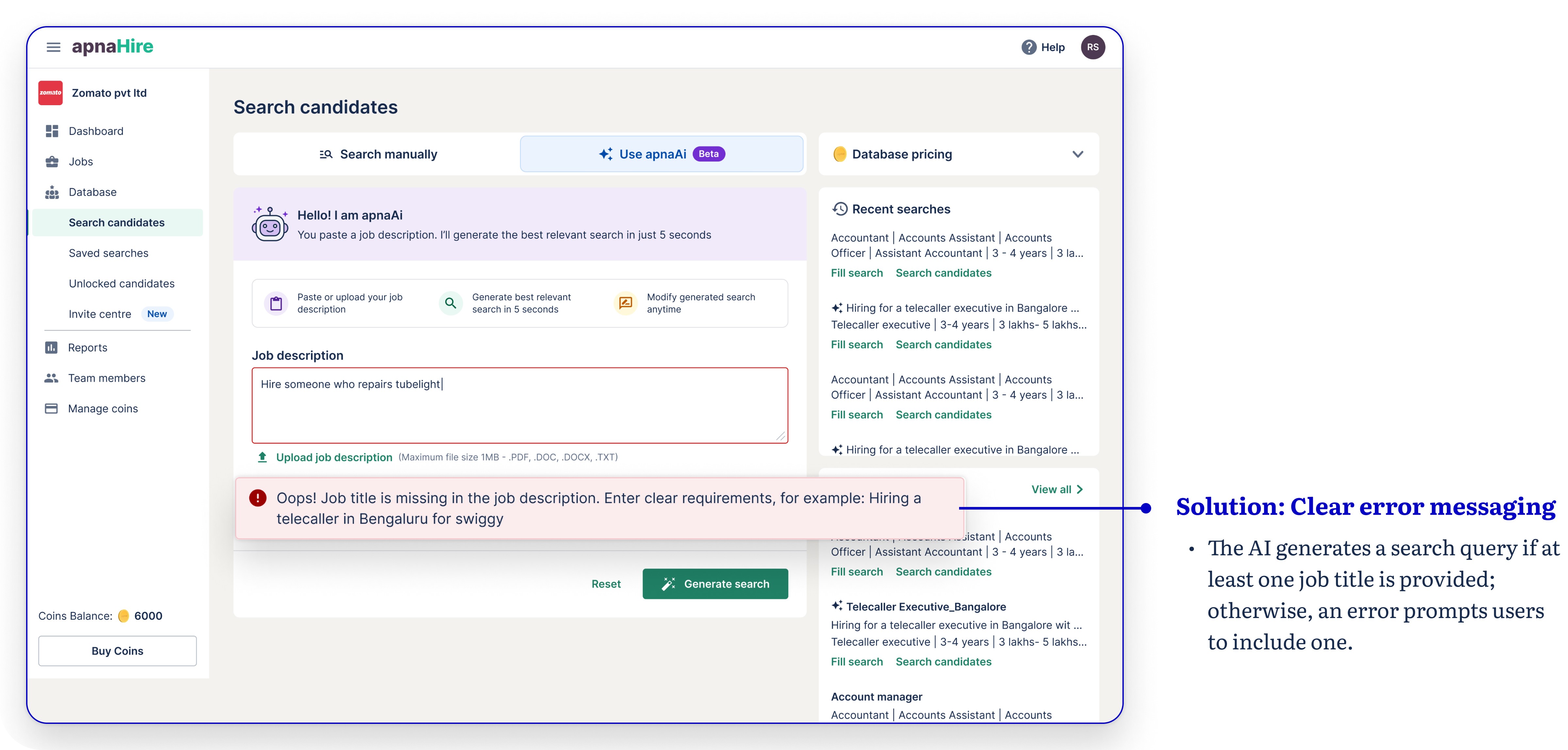
Challenge 3: Handling Inputs Where AI Couldn’t Generate Results
What if a user entered a query that the AI couldn’t process? We needed to anticipate such edge cases and guide users effectively.
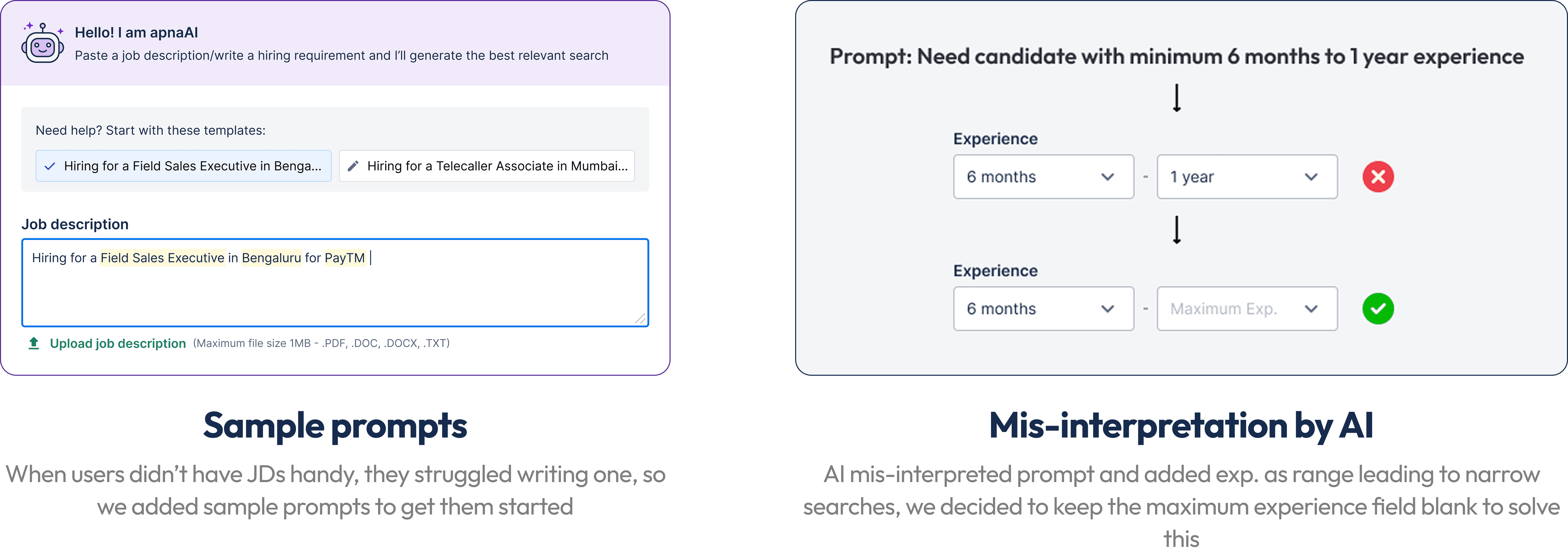
Final testing: On staging
We asked our internal recruiters to use AI to search for candidates with actual JDs and prompts
Impact
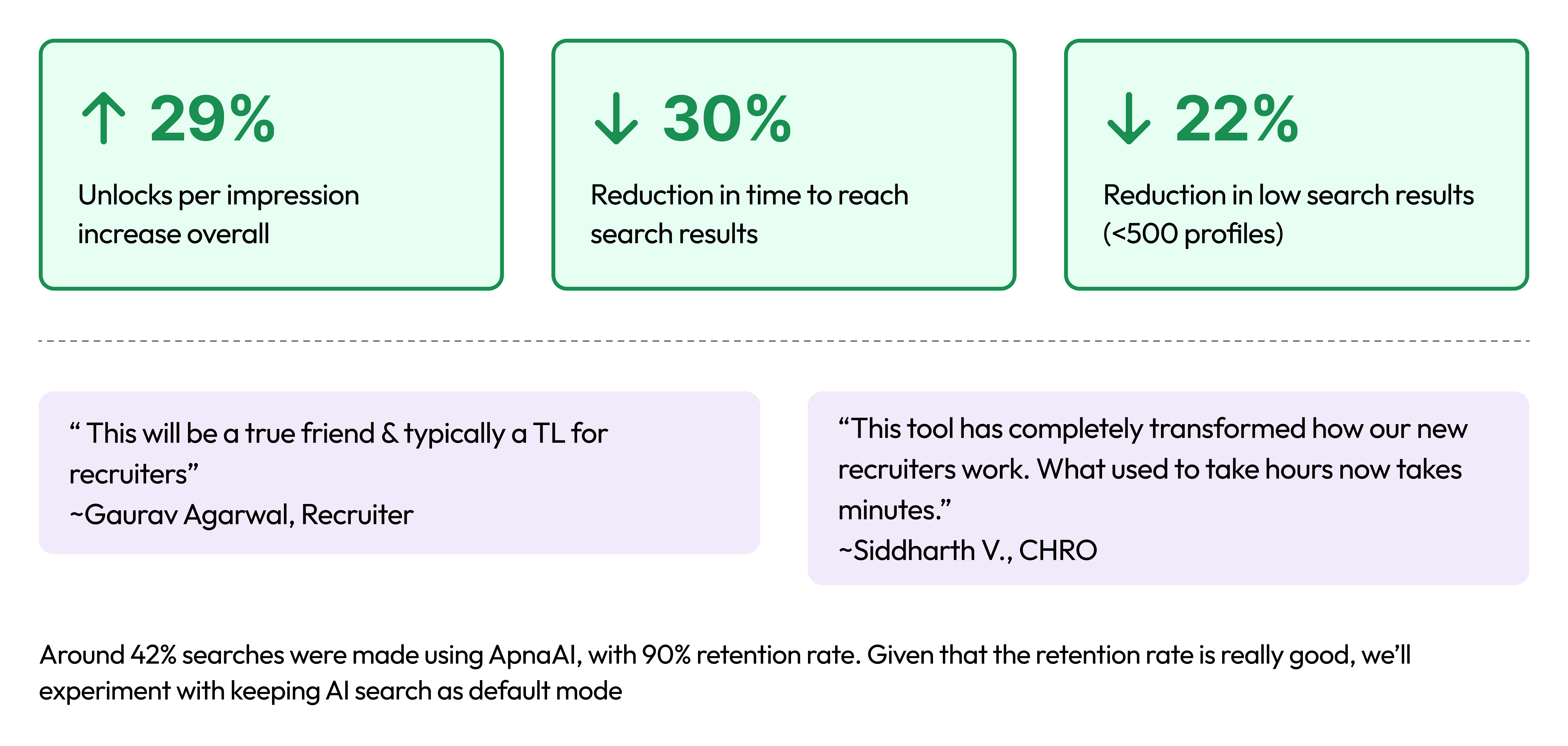
Beyond metrics, ApnaAI created excitement within the company. Our sales team began showcasing ApnaAI in demos to impress clients, and its unique functionality quickly became a draw for new contracts. Our CEO even highlighted ApnaAI’s success on LinkedIn — a rewarding testament to its impact on both user experience and business growth. Check out the post
What's next?
Default AI Mode Experiment
Smart AI Suggestions in Manual Search
Better JD Inputs
Conversational AI Assistant used across Apna
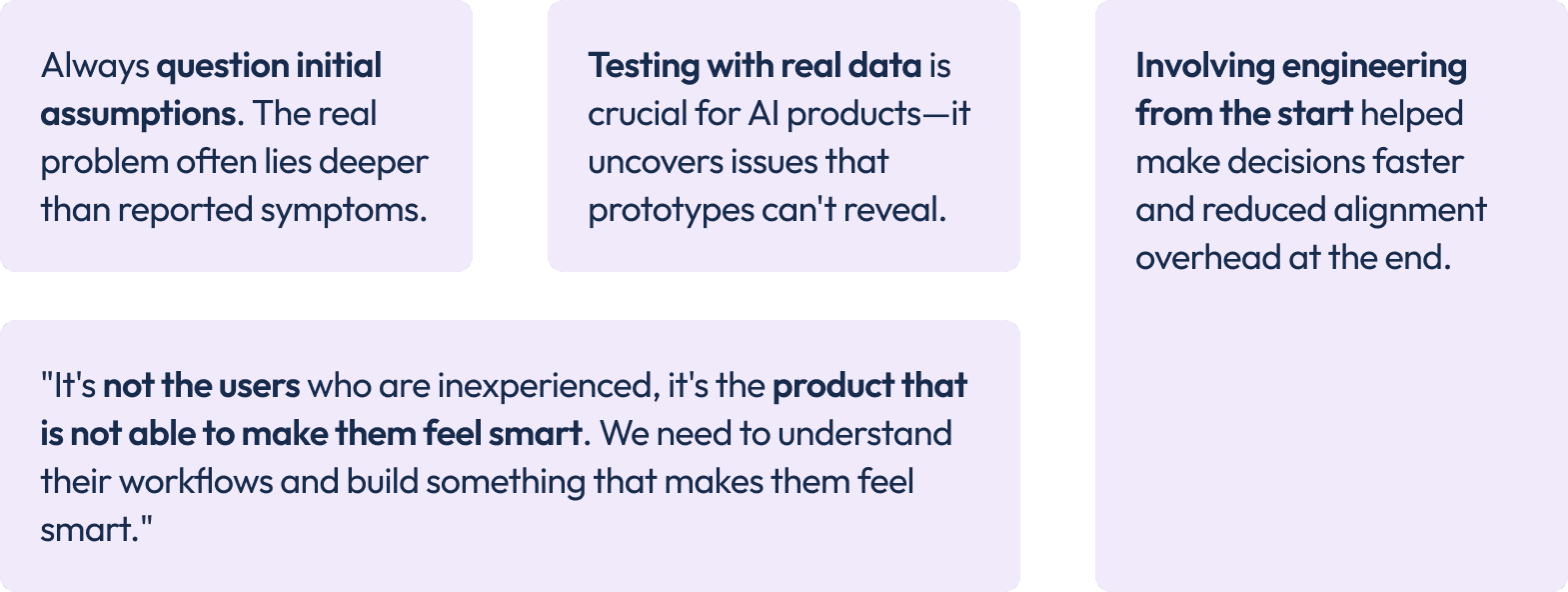
Reflections and Key Takeaways